Download Shift Schedule + Alarm Clock free on android
APK file Shift Schedule 13.4.0How to install APK / APKS / OBB file on Android

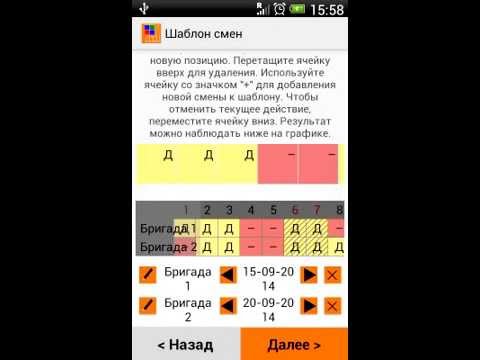

Make managing your work shifts effortless with Shift Schedule, the all-in-one shift planner and alarm clock app designed to cater to your unique schedule. With Shift Schedule, you can set up your shifts and link them to an alarm clock tailored to each shift. Set it once, and let the app do the rest—your work-life balance has never been easier to maintain!
✨ Key Features
⏰ Alarm Clock Integrated with Your Shifts
Never miss a shift again! The app’s powerful alarm clock is directly linked to your shift schedule, ensuring you’re always on time, whether it’s an early morning or a late-night shift.
🎨 Customizable Shift Management
Easily create single or multiple shifts with color-coded days displayed for any shift pattern over any period. Whether you're managing rotating shifts or consistent schedules, the app adapts to your needs.
🔄 Switch & Compare Schedules
Seamlessly switch between different schedules, allowing you to compare free days with colleagues or update your own schedule when you change shifts. Stay flexible and in control.
📅 Personalized Calendar Display
Customize your roster/calendar by choosing individual shift colors, font colors, and font sizes to match your preferences. Tailor your view to exactly what you need to see.
✏️ Adjust Days for Leave, Sick Time, and More
Edit individual days to account for leave, sick days, or different working hours, ensuring accurate calculations of hours worked and time off.
📊 Detailed Work Statistics
Track your hours worked per shift and per month, giving you valuable insights into your work patterns and helping you stay organized.
📤 Export to Google Calendar & More
Export your shift schedule directly to Google Calendar, or share it with others by exporting to .pdf or Excel. The .pdf export even allows you to create a stylish wall calendar featuring your favorite picture.
🔧 Instant Access with Widgets
Use one of the many widgets to instantly view your schedule and additional information right from your home screen.
🔔 Smart Alarm Features
Snooze or cancel the alarm in various ways, including by shaking or flipping your device—perfect for those tough mornings.
🚀 Why Upgrade to the Donation Key?
🎯 No Ads, No Interruptions
Enjoy an ad-free experience without any disruptive dialogs.
📅 Support for Non-Periodic & Custom Schedules
Access full functionality for non-periodic schedules and individually tailored shifts.
🎨 Enhanced Customization
Get more icons and customizable actions for quick switches between edit and view modes.
📤 Advanced Export Options
Export your schedule to more formats, including .xml, .csv (Excel), and directly to Google Calendar.
🔄 Automatic Updates & Future Enhancements
Receive all future enhancements automatically, ensuring your app stays up-to-date with the latest features.
🔑 Get the donation key today and take your shift management to the next level!
https://play.google.com/store/apps/details?id=com.ochkarik.shiftscheduledonate
1. ?️ Added "More our apps" catalogue.
2. ? Bugfixes.
- LicenseFree
- File nameShift Schedule
- File Version13.4.0
- Package namecom.ochkarik.shiftschedule
- Size19.51 MB
- UploadedApril 30, 2025
- Android6.0 or later
- CategoryProductivity
- DeveloperVolodymyr Kondratenko
- Developer site
- Developer emailochkarik05@gmail.com
- md5 hash99290c748b0284f369d087a700d96d01
- Architecture-
- Permissionsshow (19)